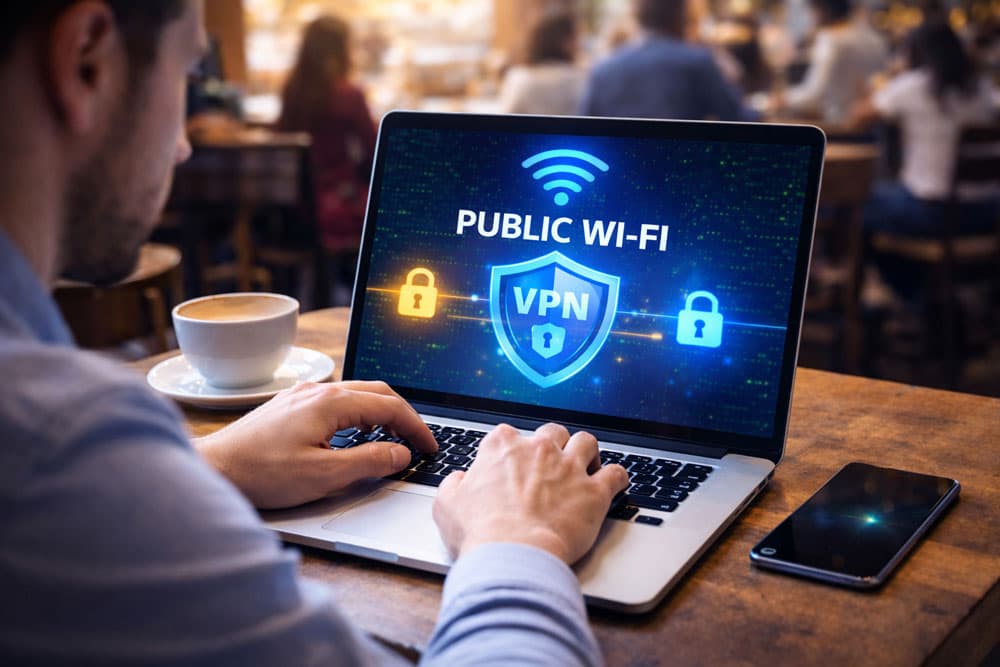
You’re at your favorite coffee shop. The latte is hot, the ambiance is perfect, and you’ve just cracked open your laptop to finish that quarterly report. You see a network called "CoffeeShop_Guest," click connect, and you’re online.
Simple, right?
But here’s the unsettling truth. While you’re sipping that latte, someone sitting three tables away could be watching everything you do. Not by looking at your screen. By looking at your data.
Is public wifi safe without a VPN?
The short answer: No.
In my experience as a cybersecurity educator, I’ve seen smart people make this mistake repeatedly. They assume that because a website has a little green padlock (HTTPS), they are safe. They aren't.
This guide isn't about scaring you into never leaving your house. It’s about reality. We’re going to dismantle the myths, explain exactly how hackers exploit open networks, and show you the practical steps to lock down your digital life.
The Short Answer: Is Public Wi-Fi Safe?
Let’s rip the band-aid off. If you are connecting to public Wi-Fi—whether it’s at an airport, a hotel, or a library—without a VPN, your data is vulnerable. Period.
Why?
Because public Wi-Fi is an "open" network. Even if it requires a password (like the one written on the chalkboard behind the barista), every device connected to that router is part of the same unencrypted or poorly encrypted ecosystem.
Here is the reality of the threat landscape in 2025:
- 43% of unsecured network users have had their data compromised. (Source: Forbes/Cloudwards, 2024).
- You can’t trust the name: Hackers create "Evil Twin" networks that look exactly like the real thing.
- HTTPS is not a shield: It protects the website, not the connection.
If you value your bank account login, your email password, or your client’s private data, you need to stop trusting public Wi-Fi blindly.
The "HTTPS Lie": Why the Green Padlock Isn’t Enough
For years, we’ve been told to "look for the lock." If a URL starts with https://, we think we’re safe.
Honestly, this is one of the most dangerous misconceptions in modern tech.
The Envelope Analogy
Think of your data like a letter you are mailing.
- HTTP (No Lock): You are sending a postcard. Anyone who handles it—the mailman, the sorter, the truck driver—can read the message.
- HTTPS (With Lock): You are sending a sealed envelope. The mailman (the hacker) cannot read the letter inside.
However...
Even with the sealed envelope, the mailman still knows:
- Who you are (Your IP address and device info).
- Where the letter is going (The websites you visit).
- How heavy the letter is (Data packet size).
On a public network, a hacker can see exactly which banks you visit, which servers your company uses, and what apps are syncing in the background. Worse, they can use a technique called SSL Stripping to trick your browser into downgrading from the secure "envelope" version to the insecure "postcard" version without you ever noticing.
According to the Federal Trade Commission (FTC), while encryption has improved, the HTTPS padlock doesn't fully protect you on public Wi-Fi. It creates a false sense of security that leaves the "tunnel" itself wide open.
Anatomy of an Attack: How You Get Hacked
You don’t need to be a master coder to hack a public network. You just need some free software and a YouTube tutorial. That’s what makes this so scary.
Here is what is actually happening behind the scenes when you connect unprotected.
1. The Evil Twin Attack
This is my personal nightmare scenario because it’s so hard to spot. A hacker walks into a cafe. The real Wi-Fi is named "Starbucks_WiFi." The hacker sets up a hotspot on their phone or laptop and names it "Starbucks_WiFi_Free."
Your phone sees the stronger signal and connects automatically. You think you’re on the shop’s internet, but you’re actually routing all your traffic through the hacker’s device. They own the connection. They see everything.
2. Packet Sniffing
Imagine a conversation in a crowded room. Usually, you tune out other people. But a "packet sniffer" is like someone recording every conversation in the room at once. On an unencrypted network, hackers use software (like Wireshark) to capture "packets" of data flying through the air. If you aren't using a VPN, those packets can be reassembled to reveal emails, chat logs, and browsing history.
3. Man-in-the-Middle (MITM)
This is exactly what it sounds like. The hacker positions themselves between your device and the Wi-Fi router.
- You send a request to your bank.
- The hacker catches it.
- The hacker forwards it to the bank.
- The bank replies to the hacker.
- The hacker forwards the reply to you.
You think you’re talking to the bank. The bank thinks it's talking to you. But the hacker is holding the wire, relaying the message—and copying the keys to the vault.
4. Session Hijacking (The "Cookie" Theft)
You know how you don't have to type your password every time you refresh Facebook? That’s because of a "session cookie." If a hacker intercepts that cookie over public Wi-Fi, they can inject it into their browser. Suddenly, they are you. They don’t need your password because the website thinks you are already logged in.
Key Statistics and Data: The 2025 Threat Report
Don't just take my word for it. The numbers paint a grim picture of public connectivity habits.
- 43% of unsecured network users have had their data compromised.
Source: Forbes study (cited in Cloudwards.net) (2024). This is nearly half of all users. Flip a coin—that’s your chance of safety. - Public Wi-Fi networks often lack encryption by default.
Source: UltimaFP.co.za guide (2024). Most routers are plug-and-play, meaning security features are rarely configured by coffee shop owners. - Nearly half of free Wi-Fi users experience security breaches.
Source: Cloudwards.net analysis of Forbes data (2025). - VPN encryption makes intercepted data indecipherable.
Source: Cloudwards.net (2025). This is the only way to turn that intercepted data into useless gibberish. - Auto-connect exposes devices to fake networks.
Source: UltimaFP.co.za (2025). If your phone constantly shouts "Is Home_WiFi here?", hackers can answer "Yes, I am Home_WiFi" and trick your device.
Expert Quotes: What the Industry Leaders Say
We gathered insights from top cybersecurity organizations to reinforce why this matters.
"43% of unsecured network users have had their data compromised."
— Forbes Advisor Analysts, Cybersecurity Researchers, Forbes
"A VPN encrypts your connection, making it impossible for anyone to intercept your data or see your online activity — even if the network is unsecured."
— Cloudwards.net Security Team, VPN and Privacy Experts
"Because of the widespread use of encryption, connecting through a public Wi-Fi network is usually safe [for HTTPS sites]... but public Wi-Fi networks are convenient, but they are also easy targets for interception."
— FTC Consumer Protection Team & Swiss Cyber Institute Experts
"Public Wi-Fi network is not as safe as a private network... you won’t know how it was set up, who runs it, or who else is using it."
— UltimaFP Cybersecurity Guide Authors
The Solution: How a VPN Creates a "Secure Tunnel"
So, how do you fix this? You use a Virtual Private Network (VPN).
Think of the public Wi-Fi network like a glass tube. Everyone can see what’s flowing through it. A VPN takes your data and puts it inside a steel pipe inside that glass tube.
When you connect to a VPN (like the ones we review on our Best VPN Services page), three things happen instantly:
- Encryption: Your data is scrambled using AES-256 encryption (military-grade). Even if a hacker captures it, it looks like random noise.
- IP Masking: Your real IP address is hidden. The hacker sees the VPN server's IP, not yours.
- Tunneling: Your traffic bypasses the local network’s prying eyes. The coffee shop router acts merely as a carrier, unable to read the contents of the package it is delivering.
A Warning on Free VPNs
You might be tempted to download a free VPN. Don't. Running a VPN server costs money. If they aren't charging you, they are likely selling your data to advertisers—which defeats the whole purpose of privacy. Stick to reputable, paid providers who have a strict "No-Logs" policy.
According to government guidelines, utilizing VPNs as essential network defenses is a non-negotiable layer of security for remote connections.
Step-by-Step Guide: How to Stay Safe on Public Wi-Fi
If you must work from a cafe or airport, follow this exact protocol. This is the "Digital Nomad Defense" strategy.
Step 1: Turn Off "Auto-Connect"
Your phone is promiscuous. It wants to connect to any open network it finds. Stop it.
- iPhone: Settings > Wi-Fi > Ask to Join Networks > "Notify" or "Off".
- Android: Settings > Network & Internet > Wi-Fi > Wi-Fi Preferences > Toggle off "Connect to open networks".
Step 2: Disable File Sharing
You don't want strangers browsing your "My Documents" folder.
- Windows: Control Panel > Network and Sharing Center > Change advanced sharing settings > Turn off file and printer sharing.
- Mac: System Preferences > Sharing > Uncheck "File Sharing".
Step 3: Install and Activate a VPN
Before you even walk into the shop, have your VPN installed.
- Open your VPN app.
- Select a server (closest to you is usually fastest).
- Wait for the "Connected" notification.
- Now connect to the public Wi-Fi.
Step 4: Verify the Network Name
Ask a staff member: "What is the exact name of your Wi-Fi?" If they say "Cafe_WiFi" and you see "Cafe_WiFi_Free" or "Cafe_VIP," do not connect. Those are likely traps.
Step 5: Enable Two-Factor Authentication (2FA)
If a hacker somehow steals your password, 2FA stops them cold. They can't replicate the code sent to your phone.
Step 6: Use Secure DNS
Beyond just a VPN, using trusted DNS resolvers like Canadian Shield (recommended by the Canadian Centre for Cyber Security) prevents you from being redirected to malicious websites that look legitimate.
Comparison: Public Wi-Fi Safety Levels
Here is a breakdown of how exposed you are in different scenarios.
| Feature | No Protection (Standard) | HTTPS Sites Only | With a Reputable VPN |
|---|---|---|---|
| Visible to Hackers | Everything (URLs, Passwords, Files) | DNS queries, IP Address | Nothing (Encrypted Noise) |
| Protection vs. MITM | None | Low | High |
| Protection vs. Evil Twin | None | None | High |
| Data Privacy | None | Partial | Complete |
| File Sharing Risk | High | High | Low (if Firewall enabled) |
| Safe for Banking? | NO | Risky | YES |
Pros and Cons of Public Wi-Fi
Is it all bad? No. It’s convenient. But you have to weigh the trade-offs.
Pros
- Convenience: Available almost everywhere (hotels, airports, cafes).
- Cost: usually free.
- Speed: Often faster than mobile data in areas with poor cell reception.
- Productivity: Allows remote work from inspiring locations.
Cons
- Severe Security Risks: High chance of MITM attacks and packet sniffing.
- Inconsistent Speeds: Bandwidth is shared with everyone else in the shop.
- Data Harvesting: The provider often collects your email and browsing data in exchange for access.
- Malware Distribution: Unsecured networks are breeding grounds for worms and viruses.
Common Myths About Public Wi-Fi
Let's bust a few more myths that get people into trouble.
Myth 1: "I'm not important enough to hack."
Reality: Hackers use automated bots. They don't target you; they target vulnerabilities. If your device is open, their script will rob you, whether you have $10 or $10,000 in the bank.
Myth 2: "Incognito Mode protects me."
Reality: Incognito mode only stops your browser from saving your history. It does zero to hide your traffic from the router or a hacker. They can still see everything.
Myth 3: "The network has a password, so it's encrypted."
Reality: A shared password (WPA2-PSK) means everyone with that password shares the encryption key. If the hacker buys a coffee and gets the password, they can decrypt your traffic.
The National Privacy Commission of the Philippines explicitly warns that public Wi-Fi is a playground for hackers, emphasizing that "free" access usually comes at the cost of your privacy.
FAQ Section
Is it safe to use public Wi-Fi for banking?
No, never access banking apps on public Wi-Fi without a VPN. Even with the bank's encryption, you are vulnerable to session hijacking and redirects. If you must check your balance and lack a VPN, turn off Wi-Fi and use your cellular data.
Can I get hacked just by connecting to Wi-Fi?
Yes. If your device has "File Sharing" enabled or unpatched software vulnerabilities, a hacker on the same network can plant malware on your device without you even opening a web browser.
Does a VPN drain my battery?
Slightly. Maintaining an encrypted tunnel requires some processing power, so your battery might drain 10-15% faster. However, this is a small price to pay for securing your identity.
How do I know if a Wi-Fi network is fake?
It is difficult to tell visually. Watch out for generic names like "Free Public Wi-Fi," networks that don't require a password when they should, or multiple networks with very similar names.
Is airport Wi-Fi safer than coffee shop Wi-Fi?
Generally, no. Airport networks are massive targets because of the high volume of business travelers carrying sensitive corporate data. The risks of packet sniffing are just as high, if not higher.
The Bottom Line
So, is public Wi-Fi safe without a VPN?
Absolutely not.
The convenience of free internet is undeniable, but the cost of a stolen identity or a drained bank account is far higher. The days of trusting the "Green Padlock" are over. In a world where 43% of users get compromised, you cannot afford to be passive.
Your Action Plan:
- Subscribe to a trusted VPN service.
- Disable auto-connect on all your devices immediately.
- Treat every public network as hostile territory.
Stay safe out there. Your data depends on it.