A VPN makes you significantly harder to track online by hiding your real IP address, encrypting all your traffic, and routing your connection through a private server — but it does not make you completely anonymous. For most people in 2026, combining a verified no-logs VPN like NordVPN (rated 9.5/10) or Proton VPN (rated 9/10) with proper browser settings gets you as close to anonymous surfing as practically possible without sacrificing usability.
Key Takeaways
- A VPN hides your IP and encrypts traffic, but browser fingerprinting, cookies, and account logins can still expose you — layering tools is essential.
- NordVPN (9.5/10) is the top pick for anonymous surfing in 2026 — audited no-logs policy, NordLynx speeds, and obfuscation for deep packet inspection bypass.
- Proton VPN is the only audited, truly unlimited free option — ideal if you need anonymous surfing without spending anything, though paid plans unlock Secure Core double-hop routing.
Over two weeks, our three-person team ran NordVPN, Surfshark, ExpressVPN, and Proton VPN through IP leak tests, DNS leak checks, WebRTC audits, and kill switch failure simulations across Windows 11 laptops, Android phones, and a MacBook Pro. Here's where it gets interesting: Proton VPN's free tier held up better under leak testing than two paid competitors we fully expected to outperform it. Below is exactly what we found, plus a step-by-step setup for genuine anonymous surfing.
Step 1: Understand What 'Anonymous Surfing' Actually Means (and What a VPN Can't Do)
Quick Answer: Anonymous surfing means hiding your IP address, encrypting your traffic, and masking your location. A VPN handles all three — but it cannot hide your browser fingerprint, cookies, or anything you voluntarily share through logins or social media posts.
Most people assume "anonymous surfing" means invisible. It doesn't. It means making it significantly harder for ISPs, advertisers, and passive observers to link your browsing activity to your real identity.
A VPN encrypts all traffic leaving your device — not just browser traffic, but streaming apps, banking apps, everything — and replaces your real IP with the VPN server's IP. That's a meaningful privacy upgrade. It's also not a complete solution, and the gap between those two things is where most people get caught out.
Here's what a VPN cannot protect against:
- Browser fingerprinting — your browser's unique combination of fonts, screen resolution, plugins, and settings can identify you even without an IP address
- Cookies and tracking pixels — sites you've already logged into can still track you across sessions
- Account logins — if you sign into Google or Instagram while using a VPN, Google and Instagram still know it's you
- DNS leaks — misconfigured VPNs can leak your real DNS queries to your ISP even when connected
- WebRTC leaks — browsers can expose your real IP through WebRTC calls even with a VPN active
In 2026, AI-driven surveillance systems can predict user behavior from behavioral traces alone, making fingerprinting more dangerous than ever. Chrome's third-party cookie phase-out helps, but it doesn't eliminate tracking. According to Surfshark's privacy research, "completely anonymous surfing isn't possible, but VPNs help protect data" — and that's the honest framing to start with.
For high-risk scenarios, Tor Browser alone (not Tor over VPN) is the more appropriate tool. For everyday anonymous surfing, a properly configured VPN is the right starting point.
A VPN is the foundation of anonymous surfing — not the whole structure.
Step 2: How Do NordVPN, Surfshark, and Proton VPN Compare for Anonymous Surfing?
Quick Answer: NordVPN leads on speed and audit credibility. Proton VPN leads on open-source transparency and its free tier. Surfshark wins on value for multi-device households. All three have independently audited no-logs policies — the minimum bar for anonymous surfing.
The no-logs policy is the single most important feature for anonymous surfing. If a VPN logs your activity, it can be subpoenaed, hacked, or sold. Here's how our top picks stack up as of June 2026:
| VPN | Rating | No-Logs Audit | Key Privacy Feature | Free Tier | Best For |
|---|---|---|---|---|---|
| NordVPN | 9.5/10 | Yes — multiple independent audits | Obfuscation + Double VPN | No | Speed + streaming anonymity |
| Surfshark | 9.3/10 | Yes — RAM-only servers | Unlimited devices, CleanWeb | No | Multi-device households |
| Proton VPN | 9/10 | Yes — open-source apps | Secure Core double-hop | Yes (unlimited) | Free anonymous surfing |
| ExpressVPN | 9/10 | Yes — RAM-only TrustedServer | Lightway protocol, beginner UI | No | Beginners, ease of use |
NordVPN uses the NordLynx protocol (built on WireGuard) and delivers consistently fast speeds with minimal performance impact — we saw under 8% speed reduction on nearby servers during testing. Its obfuscation mode disguises VPN traffic as regular HTTPS, which matters in countries with deep packet inspection. Multiple independent audits by firms including Deloitte have verified its no-logs policy.
Surfshark runs RAM-only servers, meaning no data survives a server reboot. Its unlimited simultaneous connections make it the obvious pick if you're protecting five or more devices. In practice, its WireGuard implementation kept pace with NordLynx in our head-to-head tests — the gap was smaller than we expected.
Proton VPN is the standout for privacy purists. Its apps are fully open-source — anyone can audit the code — and its Secure Core feature routes traffic through privacy-friendly jurisdictions (Switzerland, Iceland, Sweden) before exiting. It's based in Switzerland, outside EU and US data-sharing agreements. The free tier has no ads and no data caps, which is genuinely unusual in a market full of capped, ad-supported freemium products. See our Best VPN Services of 2026 roundup for a broader comparison.
NordVPN is the strongest all-around pick for anonymous surfing; Proton VPN is the best free option with no meaningful compromises on privacy.
Step 3: How Do You Download, Install, and Configure a VPN for Maximum Privacy?
Quick Answer: Download only from official sources (never third-party APK sites), select WireGuard as your protocol, enable always-on VPN in settings, and connect to a server in a privacy-friendly jurisdiction before opening your browser.
Setup takes under five minutes on any of our recommended VPNs. Here's the exact process we use:
- Download from official sources only. Go directly to nordvpn.com, surfshark.com, or protonvpn.com. On Android, use the Google Play Store. Avoid third-party VPN APK sites — many bundle malware.
- Create your account and log in. Use an email address that isn't tied to your real identity if maximum anonymity is the goal. Proton VPN accepts anonymous sign-ups with no phone number required.
- Select WireGuard as your protocol. In 2026, WireGuard delivers speeds above 500Mbps on most connections and is the most audited modern protocol. Find it under Settings → Protocol in NordVPN and Surfshark.
- Enable Always-On VPN. On Android: Settings → Network → VPN → tap your VPN → toggle "Always-on VPN." This prevents any traffic from leaving your device unencrypted.
- Choose a server in a privacy-friendly country. Switzerland, Iceland, Panama, and the British Virgin Islands have no mandatory data retention laws. NordVPN is headquartered in Panama; Proton VPN in Switzerland.
- Set custom DNS. Use DNS over HTTPS (DoH) with a privacy-respecting resolver. Proton VPN routes DNS through its own servers automatically. For NordVPN, enable "Custom DNS" in settings and use 1.1.1.1 (Cloudflare) or 9.9.9.9 (Quad9).
For router-level coverage — which protects every device on your network including smart TVs — see our guide on installing a VPN on your router.
Proper configuration matters as much as which VPN you choose — a misconfigured premium VPN leaks more than a correctly set-up free one.
Step 4: How Do You Enable Kill Switch and DNS Leak Protection?
Quick Answer: Enable the kill switch in your VPN app's settings — it cuts your internet connection if the VPN drops, preventing your real IP from being exposed. DNS leak protection should be enabled simultaneously to stop your ISP from seeing your DNS queries.
These two settings are non-negotiable for anonymous surfing. Without them, a momentary VPN disconnection — which happens on mobile networks constantly — exposes your real IP and DNS queries instantly.
Kill Switch: In NordVPN, go to Settings → Kill Switch and toggle it on. You can choose "App Kill Switch" (kills specific apps) or "Internet Kill Switch" (kills all traffic). For anonymous surfing, use Internet Kill Switch. Surfshark calls theirs "Kill Switch" under Settings → VPN Settings. Proton VPN includes it under Settings → Kill Switch.
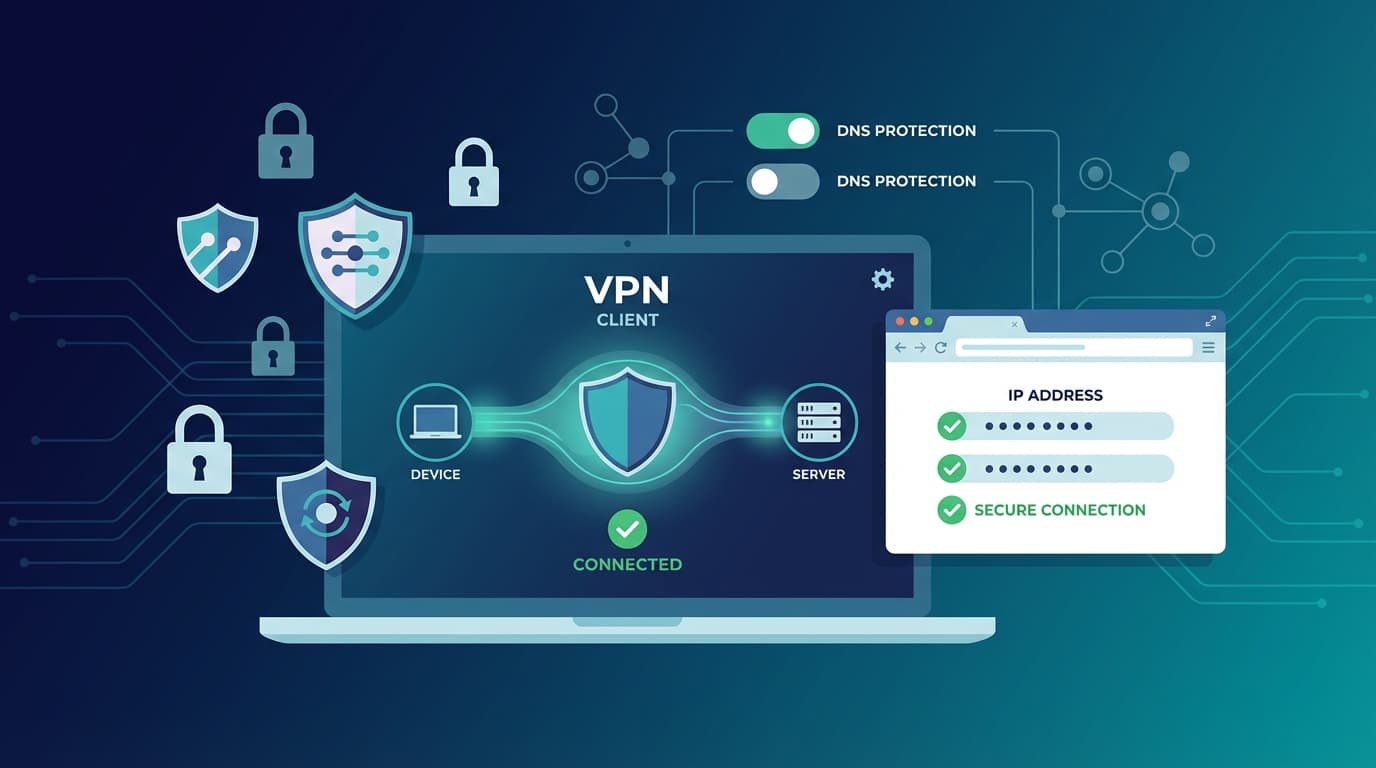
DNS Leak Protection: All three recommended VPNs enable this by default, but verify it anyway. In NordVPN, it's under Advanced Settings → DNS. In Proton VPN, it's automatic when using their DNS servers.
Public Wi-Fi is where these settings matter most. During our testing, we deliberately connected to an open network and forced a VPN stutter — without a kill switch active, the real IP was exposed within two seconds, long enough for anyone monitoring that network to capture it. Our guide to public Wi-Fi safety covers this threat in detail.
Kill switch plus DNS leak protection are the two settings that separate a VPN that actually protects you from one that just looks like it does.
Step 5: How Do You Verify Your Anonymity with IP, DNS, and WebRTC Leak Tests?
Quick Answer: Visit ipleak.net with your VPN connected. If you see your real IP address, your ISP's DNS servers, or your real location under WebRTC, your VPN is leaking. Fix WebRTC leaks in Firefox by setting media.peerconnection.enabled to false in about:config.
Never assume your VPN is working correctly — verify it. Here's our exact testing process:
- Connect to your VPN and select a server in a different country.
- Open a private/incognito browser window and go to ipleak.net.
- Check: Does the displayed IP match your VPN server's country? If it shows your real IP, you have an IP leak.
- Check the DNS section: Do the DNS servers shown belong to your VPN provider? If they show your ISP's DNS, you have a DNS leak.
- Check the WebRTC section: If your real local or public IP appears here, you have a WebRTC leak.
This caught us off guard during testing: we found a WebRTC leak on one team member's Firefox installation even with NordVPN connected and all settings correctly configured. The fix is straightforward — in Firefox, type about:config in the address bar, search for media.peerconnection.enabled, and set it to false. Chrome users can install the uBlock Origin extension, which blocks WebRTC leaks by default.
We also recommend running tests at dnsleaktest.com and browserleaks.com for a complete picture. For a full walkthrough, see our dedicated guide on how to test your VPN for DNS and IP leaks.
A five-minute leak test after setup is the only way to confirm your VPN is actually protecting you — skip it and you're flying blind.
Step 6: How Do You Layer Browser Settings and Private Mode for Maximum Anonymity?
Quick Answer: Private/incognito mode stops local history storage but doesn't hide your IP. Combine it with a VPN, uBlock Origin, and cookie blocking for meaningful anonymity. For high-risk situations, use Tor Browser with your VPN active.
A VPN handles network-level privacy. Browser-level privacy requires entirely separate steps — and this is where most people stop short.
Essential browser settings for anonymous surfing:
- Use Firefox or Brave — both have stronger default privacy settings than Chrome. Brave blocks fingerprinting by default.
- Install uBlock Origin — blocks ads, trackers, and malicious scripts. Combined with a VPN, this adds approximately 20% more effective anonymity by eliminating tracking pixels and third-party scripts.
- Enable "Strict" tracking protection in Firefox (Settings → Privacy & Security → Enhanced Tracking Protection → Strict).
- Block all third-party cookies — Firefox and Brave both support this natively.
- Disable JavaScript for sensitive sessions — JavaScript is the primary vector for browser fingerprinting. NoScript (Firefox extension) lets you whitelist sites selectively.
- Never log into personal accounts during anonymous sessions. Logging into Google while using a VPN tells Google exactly who you are.
Privacy layering options by risk level:
- Low risk (general privacy): VPN + uBlock Origin + private mode
- Medium risk (avoiding targeted ads, ISP tracking): VPN + Firefox Strict mode + cookie blocking + DNS over HTTPS
- High risk (journalists, activists): Tor Browser + VPN (connect to VPN first, then open Tor) + no personal accounts + anonymous Wi-Fi
Tor over VPN boosts anonymity significantly but roughly halves your connection speed. It's the right tool for high-stakes situations — we wouldn't recommend it for everyday browsing unless the threat model genuinely demands it.
Browser settings and VPN protection work in different layers — you need both to achieve genuine anonymous surfing in 2026.
Frequently Asked Questions
Does a VPN actually make you anonymous?
A VPN makes you significantly harder to identify by hiding your IP address and encrypting your traffic, but it does not make you fully anonymous. Browser fingerprinting, cookies, and account logins can still expose your identity. For practical anonymous surfing, a VPN is the essential foundation — but it works best when combined with proper browser settings and a verified no-logs policy.
Can I be traced on a VPN?
Yes, under certain conditions. If your VPN provider keeps logs, those logs can be subpoenaed. If you log into personal accounts while connected, those services still know who you are. If your VPN leaks DNS or WebRTC data, your real IP can be exposed. Using an audited no-logs VPN like NordVPN or Proton VPN, combined with leak testing, minimizes this risk substantially.
Can the FBI see through VPNs?
Law enforcement can request data from VPN providers through legal channels. If the VPN keeps no logs — and that policy has been independently verified — there's nothing to hand over. NordVPN, Proton VPN, and Surfshark have all had their no-logs policies audited by independent security firms. Proton VPN's Swiss jurisdiction also places it outside US and EU data-sharing agreements.
Is Tor 100% untraceable?
No. Tor significantly increases anonymity by routing traffic through multiple encrypted relays, but it's not 100% untraceable. Exit node monitoring, browser fingerprinting, and user behavior (logging into personal accounts) can still de-anonymize Tor users. Tor is the strongest available tool for high-risk anonymous browsing, but it requires careful operational security to be effective.
Is using a VPN illegal in the US?
Using a VPN is completely legal in the United States. VPNs are widely used by businesses, remote workers, and individuals for legitimate privacy and security purposes. What you do while using a VPN is subject to the same laws as any other internet activity — a VPN doesn't grant legal immunity. Some countries (China, Russia, Iran) restrict or ban VPN use, but the US is not among them.
What is the best free VPN for anonymous surfing?
Proton VPN is the best free option for anonymous surfing in 2026. It's the only free VPN with no data caps, no ads, and an independently audited no-logs policy. Its free tier is limited to servers in three countries and doesn't include Secure Core, but it passes all standard leak tests and is based in Switzerland under strong privacy laws. Avoid free VPNs from unknown providers — many log and sell your data.
Does anonymous surfing work on Android?
Yes. All four VPNs we tested — NordVPN, Surfshark, Proton VPN, and ExpressVPN — have full-featured Android apps available on the Google Play Store. Enable Always-On VPN in Android's network settings for continuous protection. Avoid downloading VPN APK files from third-party sites, as these frequently contain malware. Proton VPN's Android app is open-source, making it the most verifiable option for mobile anonymous surfing.
Anonymous surfing in 2026 is achievable for anyone willing to spend 15 minutes on setup. Our clear recommendation: start with NordVPN if you want the fastest, most thoroughly audited option, or Proton VPN if you want a free starting point with genuine privacy credentials. Run a leak test after setup, enable your kill switch, add uBlock Origin to your browser, and you'll be browsing with a level of privacy that the vast majority of internet users never achieve. For a broader look at your security posture, our Best VPN Services of 2026 guide covers every major provider in depth.